Get more pairs into your tournament
A 5-minute guide for tournament promoters: how one link in your WhatsApp group turns players with no partner into pairs who enter.
Every draw loses entries to “I’d play, but I have no partner”.
Those players don’t reply in the group and they don’t message you. They just don’t enter. A WhatsApp group can’t help them: nobody can see who else is on their own, in which category, at which level. PadelPush gives them one link where they can. Entry still happens on your own page — we never take an entry, and we never touch the money.
What your players see
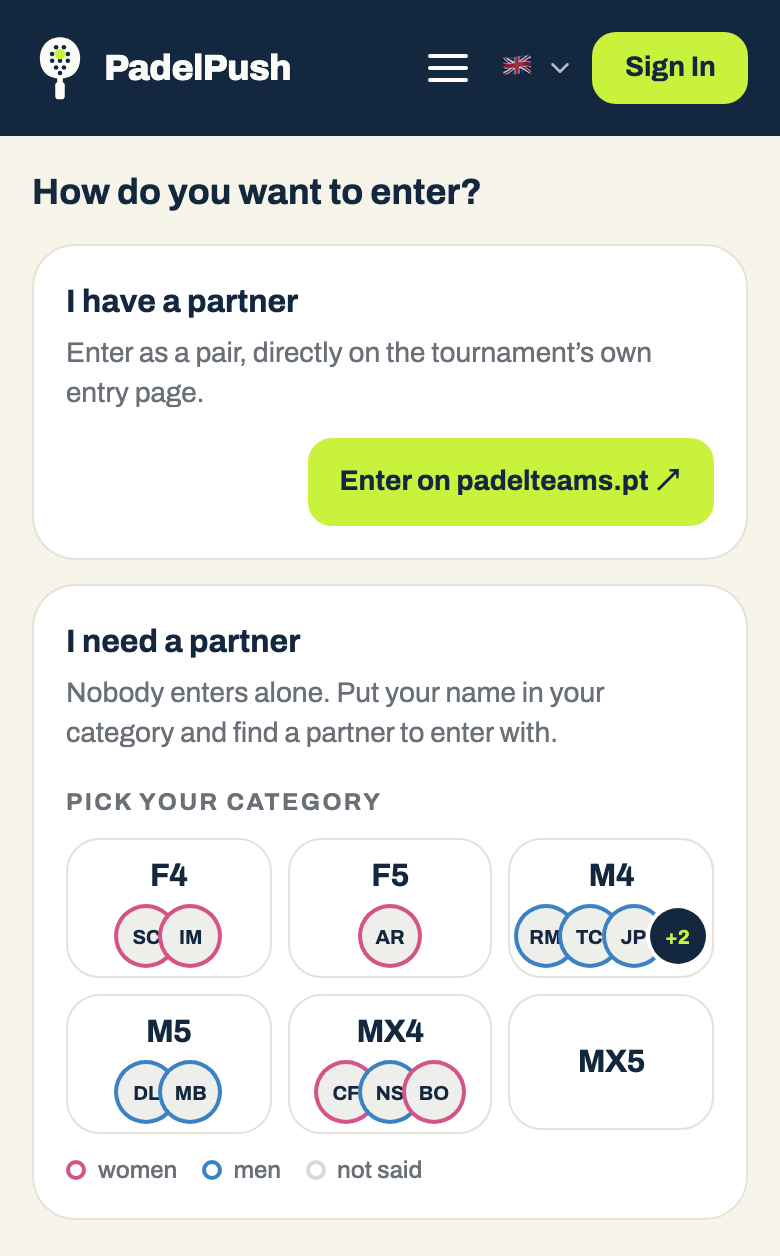
- 1They open your link. No account and no app — and it shows in the language their phone is set to, so the players who can’t read your Portuguese posts can read this.
- 2They see your poster, the tournament, a line saying you sent them the link, and a grid of your categories.
- 3They pick their category and add their name and number, plus what a partner wants to know: which side they play, whether they’re up for a practice match, a line about their game.
- 4If we don’t know their level yet, they answer nine quick questions. That puts a PadelPush level next to their name.
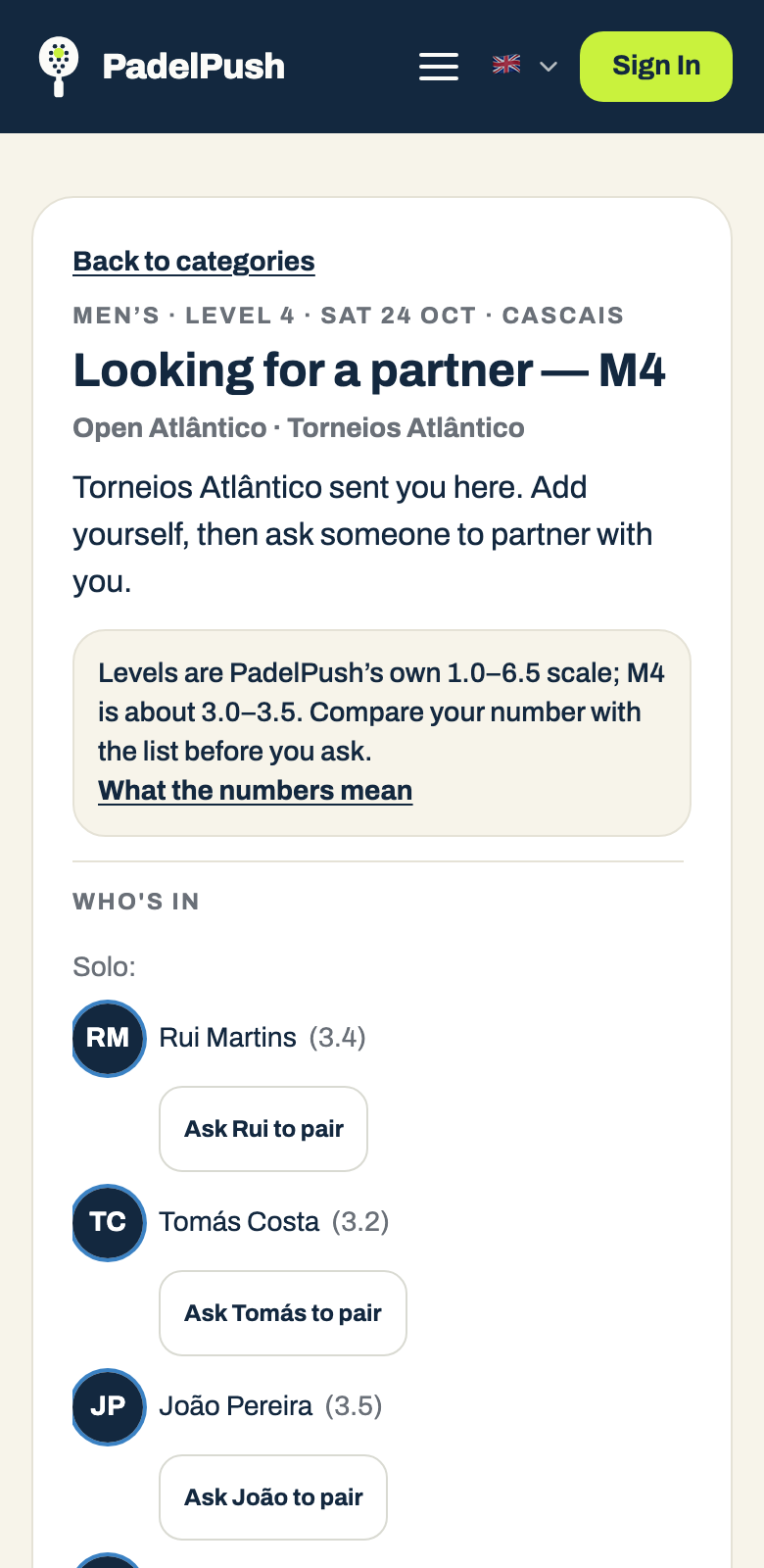
- 5They see everyone else looking for a partner in that category, with their level, and ask someone to partner with them. Asking needs a free account; the other person gets a text.
- 6They say yes, chat, play a practice match if they want — and once they’re a pair, they enter on your page.
Two things we never do.
We never show anyone’s phone number on the list, and we never pair people ourselves. Your category is the level; the two players choose each other. Players who already have a partner see “Already have a partner? Enter on …” and go straight to your page.
Claim your page
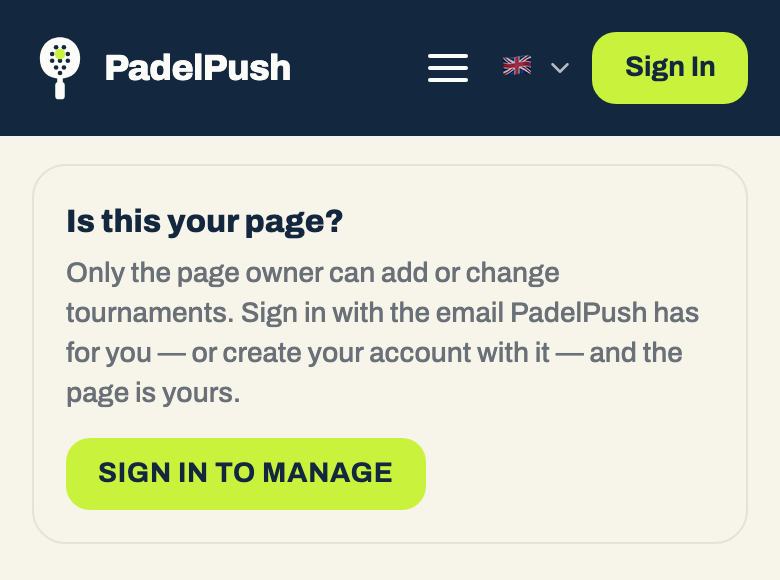
Anyone with your link can look at your page, but only its owner can change it. The first time, you sign in and the page becomes yours — after that it lives in the app under “My Tournaments”.
- 1Open the link we sent you and press “Sign in to manage”.
- 2Sign in, or create a free account. Use the email address we have for you, or the phone number we have for you — confirmed with the code we text you.
- 3If the email or the confirmed number matches, the page is yours straight away, under “My Tournaments”.
- 4If neither matches, press “Claim this page”. You’ll see “We’re checking this is you” until one of us approves it.
- 5If it says “This page has an owner”, someone else already holds it. Tell us and we’ll sort it out.
The quickest way in.
Create your account with the email address we contacted you on. Not sure which one we have? Ask us before you sign up.
Set up a draw
Open your page — from “My Tournaments” in the app, or from your link once you’re signed in.
- —Add the tournament. Name, venue, city, dates and the entry link — the page where pairs enter. If it’s on padelteams.pt we may have picked it up already; check the details and fix anything that’s wrong.
- —Tick the categories it runs. Women’s, Men’s and Mixed (F, M, MX), levels 1 to 6. Each one gets its own list of players looking for a partner, all behind one link.
- —Add a poster. It sits at the top of the link, and it’s what makes a stranger trust a link posted in a group. Any image under 4 MB.
- —Get the dates and the entry link right before you tick categories. Once a draw has categories those two lock, because players are already on its lists.
Post it in your group
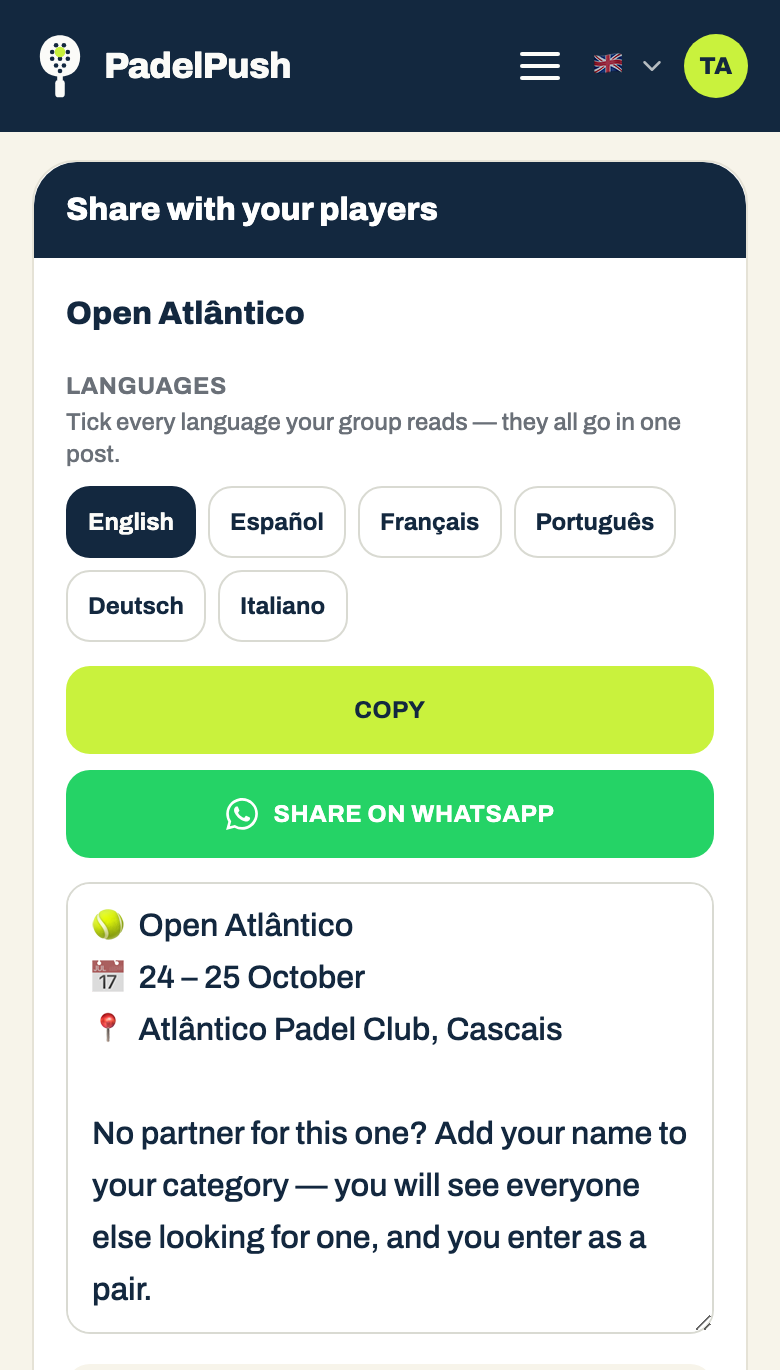
- —Use the “Share with your players” tile. Pick the tournament, tick every language your group reads — they all go in one post — and press “Share on WhatsApp”. The post carries the name, the date, the place, one sentence and the link.
- —One link per tournament. Not one per category: the link opens the whole draw and each player picks their own.
- —Post while there’s time to play together. Players want to know a partner before a whole day on court. A week or more before entries close gives them time to talk and play a practice match.
- —Start where the solo players are. If one of your groups has more international players, or more people who come without a partner, post there first.
During the week
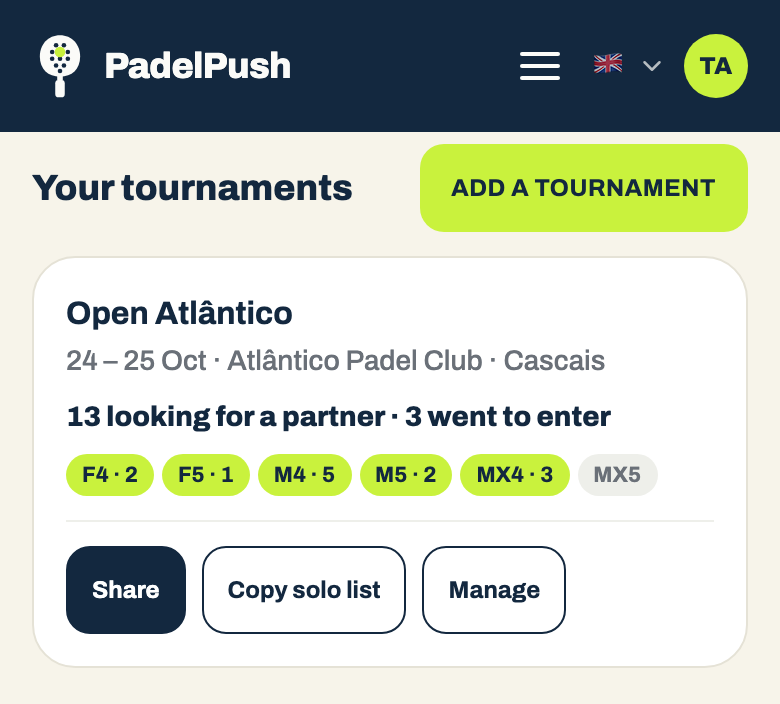
Each tournament on your page shows how it’s going:
| Link opened | How many people opened the link |
|---|---|
| Solo | Added their name, looking for a partner |
| Asked | Asked someone to partner with them |
| Paired | Two people said yes to each other |
| Entered | Went from our page to yours to enter |
- —Paste the solo list back into the group. “Copy solo list” gives you first names and categories, ready to post. Seeing “4 people in M4 are looking” is what gets the fifth to add their name.
- —Mark a category full the moment it is. Tap it and players stop being offered it; tap it again to reopen. Nobody should build a pair for a category that can’t take them.
- —Stop promoting when entries close. “Stop promoting” takes the tournament off PadelPush; “Resume promoting” brings it back.
Where else players see it
Your tournament is also listed on PadelPush — on the tournament pages, suggested to players at that level, and in our weekly email. We don’t promise a number: your group is still where most of your players will come from.
Five habits of draws that fill
- 1Tick every category you run — including the ones you expect to be quiet. An empty list tells the first player they’ll be the first one seen.
- 2Put the link in the post itself, not in a reply underneath.
- 3Always add a poster.
- 4Post the solo list once in the middle of the week.
- 5Keep the entry link right. It’s the only way from our page into your draw.
Not on PadelPush yet?
If you run tournaments and want your players to find partners, get in touch and we’ll set up your page.
Get in touchPadelPush · padelpush.co